How To Develop A DevOps Process From Scratch?
Building a DevOps process from scratch requires more than setting up automation tools and deployment pipelines. This guide covers the key steps, tools, and best practices businesses need to improve collaboration, automate workflows, and deliver software more reliably.
“Follow InvoZone's talented & dynamic content manager Sadia Aziz to read her thoughts on va...” See more
Don’t Have Time To Read Now? Download It For Later.
Table of Contents
- What Is a DevOps Process?
- Understanding the DevOps Lifecycle
- Why Do DevOps Implementations Struggle?
- How to Develop a DevOps Process From Scratch
- Step 1. Evaluate Your Current Development Process
- Step 2. Define DevOps Goals and Responsibilities
- Step 3. Establish Version Control and Collaboration
- Step 4. Build Your First CI/CD Pipeline
- Step 5. Introduce Automated Testing and DevSecOps
- Step 6. Automate Infrastructure and Environment Configuration
- Step 7. Establish Safe Deployment and Recovery Processes
- Step 8. Implement Monitoring and Continuous Feedback
- Step 9. Improve the Process Incrementally
- Choosing the Right DevOps Tools
- How to Measure DevOps Success
- A Practical 90-Day DevOps Implementation Roadmap
- How AI Is Influencing DevOps in 2026
- Common DevOps Implementation Mistakes
- Build a Reliable DevOps Process With InvoZone
- Building a DevOps Process That Supports Long-Term Growth
Setting up a DevOps process may seem straightforward.
You choose the right tools, configure a CI/CD pipeline, and automate deployments. However, even with these systems in place, unclear responsibilities, disconnected workflows, and communication gaps can slow down software delivery.
A well-planned DevOps process helps development and operations teams work together, reduce manual errors, and manage releases more efficiently.
The key is to build a process that fits your existing infrastructure, supports your team's needs, and can grow alongside your business.
What Is a DevOps Process?
A DevOps process is a collection of practices that connects software development and IT operations throughout the application lifecycle. Traditionally, developers focused on building software, while operations teams managed deployment, infrastructure, and maintenance. This separation often led to communication gaps, delayed releases, and complicated troubleshooting.
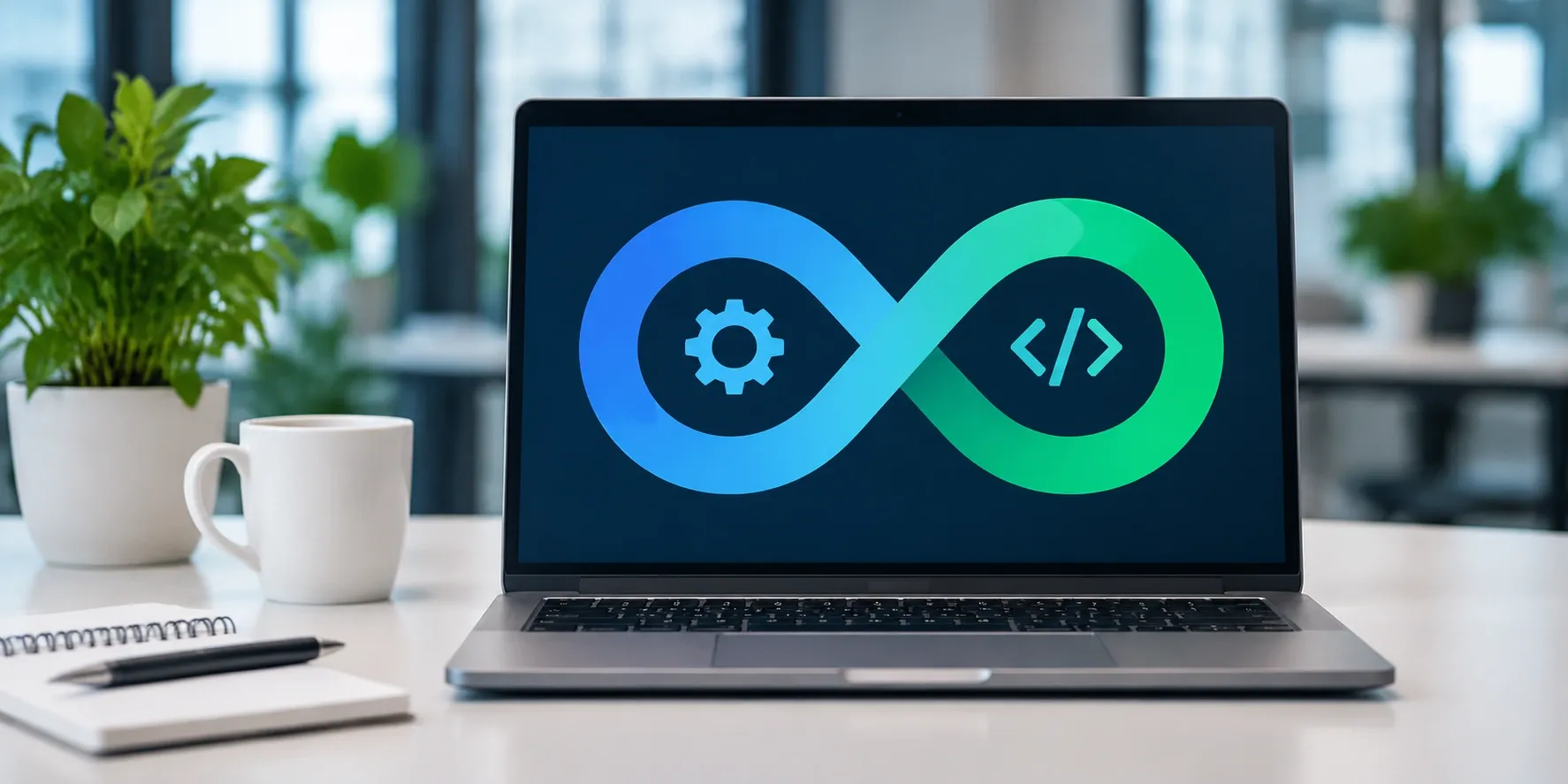
DevOps encourages shared responsibility by bringing developers, operations professionals, testers, and security specialists together to plan, build, test, deploy, monitor, and improve applications. Automation supports this collaboration by reducing repetitive tasks and making software releases more consistent.
For example, teams can configure automated tests to check code changes whenever developers update the repository, while deployment pipelines move approved changes through testing and production environments using repeatable processes.
The goal of DevOps engineering is to help teams deliver reliable software through collaboration, automation, and continuous improvement.
Understanding the DevOps Lifecycle
Before building a DevOps implementation roadmap, it helps to understand how the process works. DevOps is commonly represented as a continuous cycle in which development and operations activities support one another.
|
DevOps Stage |
What Happens |
|---|---|
|
Plan |
Define requirements, priorities, and delivery objectives |
|
Code |
Develop features and manage changes through version control |
|
Build |
Compile and package software into deployable artifacts |
|
Test |
Validate functionality, performance, and security |
|
Release |
Prepare approved changes for deployment |
|
Deploy |
Deliver software to the target environment |
|
Operate |
Manage infrastructure and application availability |
|
Monitor |
Track performance, identify problems, and collect feedback |
These activities are connected rather than isolated. For example, monitoring may reveal that a new feature is causing performance problems. Developers can investigate the issue, update the code, run tests, and release a fix. This continuous feedback cycle is what makes DevOps different from a purely sequential delivery model.
You can explore how these activities fit within the broader software development lifecycle.
Why Do DevOps Implementations Struggle?
Many organizations invest in DevOps tools but overlook the working practices needed to use them effectively. A company might purchase a CI/CD platform, introduce containers, and create a dedicated infrastructure team, yet releases may still require several manual approvals and extensive coordination. While the technology has changed, the underlying process often remains the same.
Google's 2025 DORA research explains that AI acts as an amplifier of an organization's existing strengths and weaknesses. The same principle applies to automation, as improving a broken workflow requires understanding the existing problems before introducing new tools or processes.
Common implementation problems include:
|
Challenge |
Why It Creates Problems |
Practical Solution |
|---|---|---|
|
Unclear ownership |
Teams disagree about responsibilities |
Assign clear decision owners |
|
Poor communication |
Requirements and deployment information get lost |
Establish shared workflows |
|
Too many tools |
Teams spend time managing disconnected systems |
Standardize essential tools |
|
Limited automation |
Manual activities create inconsistency |
Automate repeatable tasks |
|
Weak testing |
Problems are discovered late |
Integrate testing into development |
|
Blame culture |
Employees hesitate to report mistakes |
Encourage learning and constructive reviews |
The important lesson is that DevOps implementation should begin with identifying and addressing the problems affecting software delivery rather than simply introducing more tools.
How to Develop a DevOps Process From Scratch
There isn't a universal DevOps implementation plan that works for every organization. However, the following nine steps provide a practical foundation that businesses can adapt to their applications, team structures, and infrastructure requirements.
Step 1. Evaluate Your Current Development Process
Start by understanding how software moves from development to production. Review the entire delivery workflow, including how requirements are documented, code is managed, tests are performed, and deployments are approved. Pay attention to activities that repeatedly cause delays or require unnecessary manual work.
For example, if developers complete features quickly but releases take several days, the problem may involve manual testing, deployment approvals, or environment configuration. Identifying these issues early helps teams focus on improvements that matter.
Ask questions such as:
- How long does a typical deployment take?
- Which steps require manual intervention?
- How often do releases fail?
- Who handles production incidents?
- Are development and production environments consistent?
- How quickly can the team recover from failed deployments?
Document the answers and prioritize the biggest bottlenecks. If your organization is replacing outdated systems, an application modernization strategy can help align technical improvements with business goals.
Practical tip: Start with one application or service rather than redesigning every workflow at once.
Step 2. Define DevOps Goals and Responsibilities
Once you've identified the existing problems, define what your DevOps implementation should achieve. Avoid vague goals such as improving efficiency or accelerating development. Instead, focus on measurable outcomes like reducing manual deployment steps, shortening recovery time, or introducing automated checks before releases.
A structured software project management process helps teams coordinate these goals and keep implementation on track. A clear DevOps strategy also keeps these goals tied to business outcomes.
Clear responsibilities are equally important. DevOps encourages collaboration, but each team member still needs defined responsibilities to maintain accountability. Developers, operations engineers, product owners, and security specialists should understand their roles throughout implementation.
|
Responsibility |
Typical Owner |
|---|---|
|
Product and release priorities |
Product Owner |
|
Application code and automated tests |
Development Team |
|
Infrastructure and deployment automation |
DevOps or Platform Engineer |
|
Security requirements and controls |
Security Team with Developers |
|
Production monitoring and incident response |
Shared Engineering and Operations Team |
A clear software development team structure helps maintain accountability and collaboration throughout implementation.
Step 3. Establish Version Control and Collaboration
Version control is an essential foundation of DevOps. Tools such as Git allow developers to track changes, collaborate on code, review modifications, and restore previous versions when necessary. Application code, deployment scripts, and relevant configuration files should be maintained in appropriate repositories.
Teams should also establish clear collaboration practices, including manageable code changes, pull requests, code reviews, and a branching strategy that supports their release process.
For example, teams following Agile software development may prefer frequent integration and short-lived branches. The goal is to improve code quality and coordination without introducing unnecessary approval stages.
Step 4. Build Your First CI/CD Pipeline
Continuous integration and continuous delivery help automate software testing and release preparation. Continuous Integration (CI) automatically builds and tests code changes when developers integrate them into a shared repository. Continuous Delivery (CD) keeps validated software ready for release through automated processes.
|
Practice |
Main Purpose |
Typical Result |
|---|---|---|
|
Continuous Integration |
Validate code changes |
Tested build artifacts |
|
Continuous Delivery |
Prepare software for release |
Deployable software with controlled release |
|
Continuous Deployment |
Automatically release validated changes |
Production updates without manual approval |
Start with a simple pipeline that builds the application, runs tests, and reports errors. As your process improves, extend automation to staging and production. For example, a custom software development project can use GitHub Actions to validate code changes before merging, with additional approvals for sensitive applications.
Step 5. Introduce Automated Testing and DevSecOps
Automated testing helps catch bugs early and makes software releases more reliable. Start with unit tests, API integration tests, and end-to-end tests for important workflows such as payments and registration.
DevSecOps adds security throughout development through vulnerability scanning, code analysis, and access controls within CI/CD pipelines. Focus on automating tests and security checks that address the highest risks first.
Step 6. Automate Infrastructure and Environment Configuration
Infrastructure as Code (IaC) helps teams maintain consistent development, staging, and production environments. Tools like Terraform and Ansible automate infrastructure setup, while containers simplify dependency management. For complex requirements, cloud consulting services can help businesses plan reliable infrastructure and manage costs.
Not every application needs Kubernetes; smaller products may work better with managed cloud services. However, if your application requires advanced container orchestration, these Kubernetes deployment strategies can help you roll out updates safely.
Step 7. Establish Safe Deployment and Recovery Processes
Frequent deployments need proper safeguards to prevent disruptions. Use staging tests, release approvals, backups, health checks, and rollback procedures before pushing updates to production.
Blue-green and canary deployments can reduce risks by introducing changes gradually. Teams should also define clear recovery steps, especially for database migrations, where reversing changes may be difficult.
Step 8. Implement Monitoring and Continuous Feedback
DevOps continues after deployment. Monitoring tools such as Prometheus, Grafana, and Datadog help teams track application performance, errors, and system availability.
Logs and tracing make troubleshooting easier, while meaningful alerts help engineers respond before issues escalate. Continuous monitoring is essential for software product development, where reliability directly affects customers and business operations.
Step 9. Improve the Process Incrementally
You don't need every DevOps tool from day one. Start with version control, automated builds, essential testing, and a clear deployment process.
As your product grows, introduce infrastructure automation, advanced monitoring, and stronger security controls. Review your workflow regularly, identify bottlenecks, and make improvements that genuinely help your team deliver software faster and more reliably.
Choosing the Right DevOps Tools
The DevOps market offers a wide range of tools for development, automation, infrastructure, security, and monitoring. However, the real challenge is choosing technologies that integrate well with your existing systems, support your team's needs, and address operational challenges effectively.
|
Category |
Common Tools |
Primary Purpose |
|---|---|---|
|
Version control |
Git, GitHub, GitLab |
Track and review code changes |
|
CI/CD |
GitHub Actions, Jenkins, GitLab CI/CD |
Automate builds, tests, and deployment |
|
Containers |
Docker |
Package applications consistently |
|
Orchestration |
Kubernetes |
Manage containerized workloads |
|
Infrastructure as Code |
Terraform, OpenTofu |
Define infrastructure through code |
|
Configuration management |
Ansible |
Automate system configuration |
|
Monitoring |
Prometheus, Grafana, Datadog |
Track application and infrastructure health |
|
Code security |
SonarQube, Trivy |
Analyze code and detect selected vulnerabilities |
You don't need to use every DevOps tool from the beginning. A startup launching an MVP may only need Git, managed hosting, automated testing, and basic monitoring, while larger organizations managing multiple services may require more advanced deployment and infrastructure solutions. The key is to choose tools based on your application architecture, team expertise, security requirements, and maintenance costs rather than popularity alone.
How to Measure DevOps Success
The purpose of DevOps isn't just to deploy software more frequently but also to ensure releases are reliable and engineering processes continue to improve. DORA provides a widely used framework for measuring software delivery performance through five key metrics, divided into throughput and instability.
|
DORA Metric |
What It Measures |
Desired Improvement |
|---|---|---|
|
Deployment Frequency |
How often software changes reach production |
More frequent, sustainable delivery |
|
Change Lead Time |
Time from code commit to production deployment |
Shorter delivery time |
|
Failed Deployment Recovery Time |
Time required to recover from a failed deployment |
Faster recovery |
|
Change Fail Rate |
Proportion of deployments requiring immediate corrective action |
Fewer failed changes |
|
Deployment Rework Rate |
Proportion of deployments made to address production incidents |
Less unplanned rework |
These metrics help businesses track how their applications and delivery processes improve over time. For example, if deployment frequency increases but change failures also rise, the team may need stronger automated testing or safer release practices. Similarly, faster builds won't solve delivery delays if code changes still spend days awaiting approval.
For a complete picture of DevOps performance, businesses should measure software delivery alongside customer experience, product quality, and team workload.
A Practical 90-Day DevOps Implementation Roadmap
The time required to implement DevOps depends on your existing infrastructure, application complexity, technical debt, and team experience. The following 90-day roadmap provides a practical starting point for a single application, although the actual timeline may vary depending on project requirements.
|
Period |
Main Activities |
Expected Output |
|---|---|---|
|
Weeks 1–2 |
Assess workflows, identify bottlenecks, define goals |
Delivery assessment and improvement backlog |
|
Weeks 3–4 |
Standardize Git practices and automate builds |
Working CI pipeline |
|
Weeks 5–8 |
Add automated tests, security checks, staging deployment |
More repeatable release process |
|
Weeks 9–12 |
Improve production deployment, monitoring, recovery, and metrics |
Measurable delivery improvements |
Startups with modern applications may complete these stages faster, while enterprises managing legacy systems, complex dependencies, or strict compliance requirements may need more time. Businesses planning broader infrastructure changes should also consider implementation and maintenance costs. Our software development cost guide explains how technical requirements and project complexity affect development budgets.
How AI Is Influencing DevOps in 2026
AI is becoming an important part of software development and operations, helping engineering teams automate repetitive tasks and improve efficiency. AI-powered tools can generate pipeline configurations, summarize logs, explain infrastructure code, draft automated tests, and assist with incident investigations.
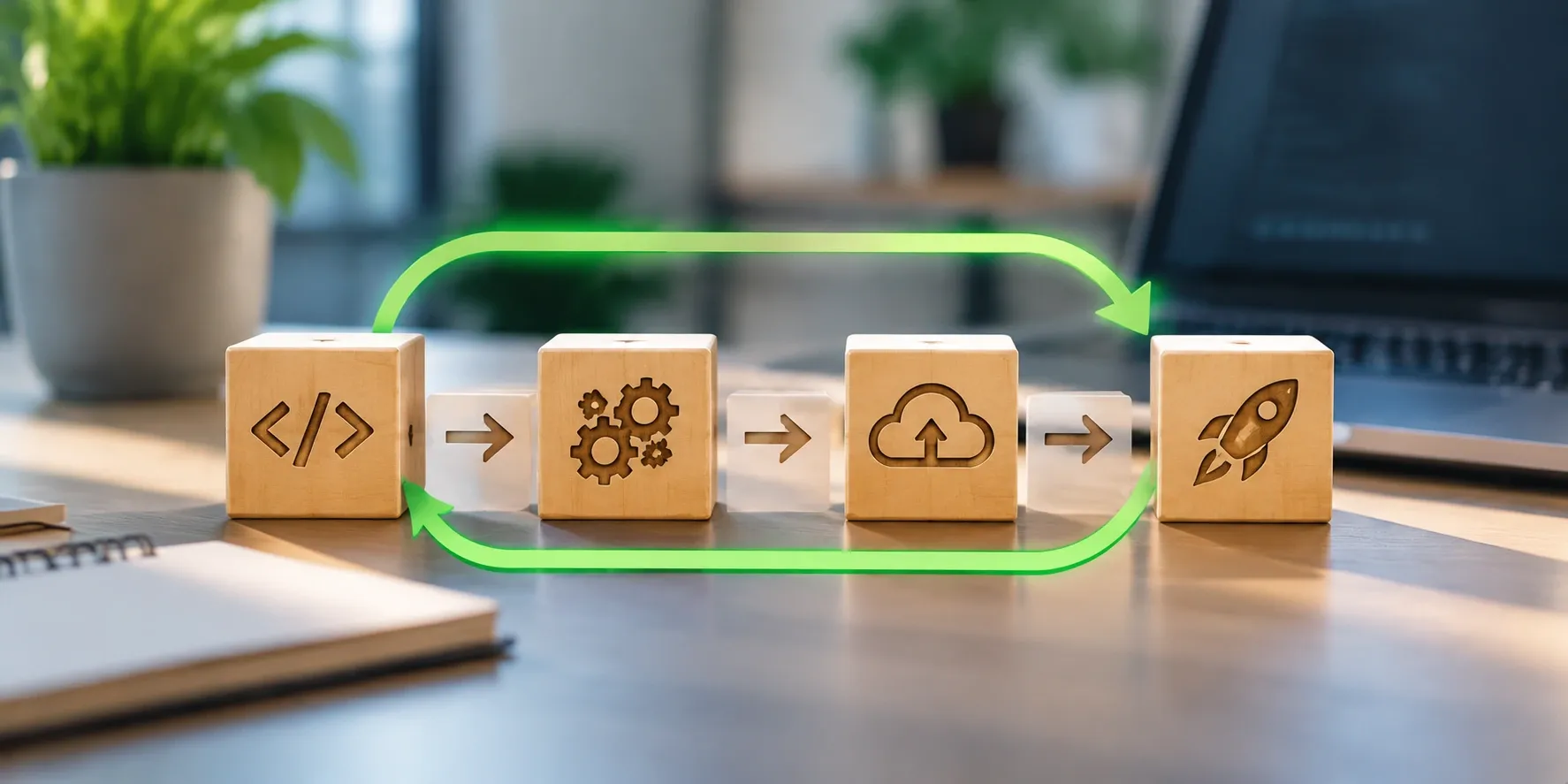
Google's March 2026 DORA analysis reported that its 2025 research found 90% of surveyed technology professionals were using AI at work, with more than 80% believing it improved their productivity. However, the research also highlighted that increased AI adoption can improve software delivery speed while introducing greater instability when organizations lack strong engineering practices.
This makes proper review, validation, and security controls essential when using AI-generated code or infrastructure configurations. For example, an AI assistant may generate a deployment pipeline, but engineers still need to verify permissions, secrets management, environment settings, and release safeguards. AI should help DevOps professionals work more efficiently without replacing human oversight and accountability.
Using AI development services and understanding how generative AI supports software engineering can help teams improve productivity while maintaining security, reliability, and human oversight.
Common DevOps Implementation Mistakes
Even well-planned DevOps initiatives can face challenges when organizations focus too much on tools and overlook their existing engineering processes. Understanding common implementation mistakes can help teams avoid unnecessary complexity, improve collaboration, and maintain reliable software delivery.
|
Mistake |
Better Approach |
|---|---|
|
Automating everything immediately |
Begin with the most painful repeatable process |
|
Introducing Kubernetes unnecessarily |
Choose infrastructure based on application requirements |
|
Ignoring security until deployment |
Integrate security checks early |
|
Creating a separate team that owns all production issues |
Establish shared responsibility with clear roles |
|
Measuring only deployment frequency |
Balance delivery speed with quality and stability |
|
Neglecting documentation |
Maintain practical runbooks and release procedures |
|
Treating DevOps as a one-time project |
Review and improve practices continuously |
One of the biggest mistakes is assuming that introducing new tools automatically creates an effective DevOps process. While the right technologies can improve collaboration and software delivery, they cannot replace clear responsibilities, technical expertise, and effective communication between teams.
Build a Reliable DevOps Process With InvoZone
Choosing the right DevOps tools and practices is only the first step. Building a process that connects development, testing, deployment, and operations can be challenging without the right technical expertise. InvoZone makes this easier by connecting businesses with experienced DevOps professionals who understand their project requirements and long-term goals.

With a network of 1,000+ pre-vetted developers, InvoZone helps businesses access skilled DevOps engineers who can implement CI/CD pipelines, automate deployments, manage cloud infrastructure, and improve application monitoring.
Whether you're setting up DevOps from scratch, improving an existing deployment process, or modernizing your infrastructure, our DevOps consulting and engineering services help you establish scalable, secure, and reliable software delivery processes
Building a DevOps Process That Supports Long-Term Growth
Building a DevOps process from scratch doesn't require adopting every automation tool or changing your entire development setup at once. The best approach is to start by reviewing your existing workflows, identifying what slows down software delivery, and defining clear responsibilities across teams.
Once these foundations are in place, gradually introduce automated testing, CI/CD pipelines, secure deployment practices, infrastructure automation, and monitoring. Each improvement should address a real challenge and make software delivery more efficient and reliable.
DevOps is an ongoing process that should evolve with your business. By focusing on collaboration, automation, and continuous improvement, teams can release software with greater confidence, resolve issues faster, and support their products as they grow.
Share to:
Frequently Asked Questions
Find answers to common questions about our services
1.What is a DevOps process?
A DevOps process connects software development, testing, deployment, and operations through shared responsibilities and automation. It helps teams deliver applications more consistently, identify issues earlier, and improve reliability throughout the software lifecycle.
2.How do you develop a DevOps process from scratch?
Begin by assessing your current development workflow and identifying delivery bottlenecks. Establish clear responsibilities, introduce version control, create a CI/CD pipeline, automate essential tests, and implement deployment safeguards. Then add monitoring, security checks, and continuous improvement practices.
3.What are the essential tools for DevOps beginners?
Git is a common starting point for version control. Teams can then use GitHub Actions, GitLab CI/CD, or Jenkins for build and deployment automation. Additional tools such as Docker, Terraform, Prometheus, and Grafana become useful depending on infrastructure requirements.
4.What is the difference between CI/CD and DevOps?
CI/CD focuses on automating code integration, testing, and delivery. DevOps is broader and includes collaboration, shared ownership, infrastructure management, security, monitoring, and operational improvement. CI/CD is an important part of a DevOps process, but it doesn't represent the entire approach.
5.How long does it take to implement DevOps?
A small team may establish a basic automated build and testing process relatively quickly. More comprehensive implementations involving cloud infrastructure, production deployment, security, and organizational changes may take several months or longer. The timeline depends on existing systems and implementation scope.
6.How do you measure DevOps performance?
Teams can use DORA's five software delivery performance metrics: deployment frequency, change lead time, failed deployment recovery time, change fail rate, and deployment rework rate. These should be reviewed alongside reliability, customer experience, and team workload.
7.What is the difference between DevOps and DevSecOps?
DevOps brings software development and operations together to improve delivery and reliability. DevSecOps emphasizes integrating security responsibilities and controls throughout that process, including code analysis, dependency scanning, access management, and continuous security validation.
Table of Contents
- What Is a DevOps Process?
- Understanding the DevOps Lifecycle
- Why Do DevOps Implementations Struggle?
- How to Develop a DevOps Process From Scratch
- Step 1. Evaluate Your Current Development Process
- Step 2. Define DevOps Goals and Responsibilities
- Step 3. Establish Version Control and Collaboration
- Step 4. Build Your First CI/CD Pipeline
- Step 5. Introduce Automated Testing and DevSecOps
- Step 6. Automate Infrastructure and Environment Configuration
- Step 7. Establish Safe Deployment and Recovery Processes
- Step 8. Implement Monitoring and Continuous Feedback
- Step 9. Improve the Process Incrementally
- Choosing the Right DevOps Tools
- How to Measure DevOps Success
- A Practical 90-Day DevOps Implementation Roadmap
- How AI Is Influencing DevOps in 2026
- Common DevOps Implementation Mistakes
- Build a Reliable DevOps Process With InvoZone
- Building a DevOps Process That Supports Long-Term Growth
Setting up a DevOps process may seem straightforward.
You choose the right tools, configure a CI/CD pipeline, and automate deployments. However, even with these systems in place, unclear responsibilities, disconnected workflows, and communication gaps can slow down software delivery.
A well-planned DevOps process helps development and operations teams work together, reduce manual errors, and manage releases more efficiently.
The key is to build a process that fits your existing infrastructure, supports your team's needs, and can grow alongside your business.
What Is a DevOps Process?
A DevOps process is a collection of practices that connects software development and IT operations throughout the application lifecycle. Traditionally, developers focused on building software, while operations teams managed deployment, infrastructure, and maintenance. This separation often led to communication gaps, delayed releases, and complicated troubleshooting.

DevOps encourages shared responsibility by bringing developers, operations professionals, testers, and security specialists together to plan, build, test, deploy, monitor, and improve applications. Automation supports this collaboration by reducing repetitive tasks and making software releases more consistent.
For example, teams can configure automated tests to check code changes whenever developers update the repository, while deployment pipelines move approved changes through testing and production environments using repeatable processes.
The goal of DevOps engineering is to help teams deliver reliable software through collaboration, automation, and continuous improvement.
Understanding the DevOps Lifecycle
Before building a DevOps implementation roadmap, it helps to understand how the process works. DevOps is commonly represented as a continuous cycle in which development and operations activities support one another.
|
DevOps Stage |
What Happens |
|---|---|
|
Plan |
Define requirements, priorities, and delivery objectives |
|
Code |
Develop features and manage changes through version control |
|
Build |
Compile and package software into deployable artifacts |
|
Test |
Validate functionality, performance, and security |
|
Release |
Prepare approved changes for deployment |
|
Deploy |
Deliver software to the target environment |
|
Operate |
Manage infrastructure and application availability |
|
Monitor |
Track performance, identify problems, and collect feedback |
These activities are connected rather than isolated. For example, monitoring may reveal that a new feature is causing performance problems. Developers can investigate the issue, update the code, run tests, and release a fix. This continuous feedback cycle is what makes DevOps different from a purely sequential delivery model.
You can explore how these activities fit within the broader software development lifecycle.
Why Do DevOps Implementations Struggle?
Many organizations invest in DevOps tools but overlook the working practices needed to use them effectively. A company might purchase a CI/CD platform, introduce containers, and create a dedicated infrastructure team, yet releases may still require several manual approvals and extensive coordination. While the technology has changed, the underlying process often remains the same.
Google's 2025 DORA research explains that AI acts as an amplifier of an organization's existing strengths and weaknesses. The same principle applies to automation, as improving a broken workflow requires understanding the existing problems before introducing new tools or processes.
Common implementation problems include:
|
Challenge |
Why It Creates Problems |
Practical Solution |
|---|---|---|
|
Unclear ownership |
Teams disagree about responsibilities |
Assign clear decision owners |
|
Poor communication |
Requirements and deployment information get lost |
Establish shared workflows |
|
Too many tools |
Teams spend time managing disconnected systems |
Standardize essential tools |
|
Limited automation |
Manual activities create inconsistency |
Automate repeatable tasks |
|
Weak testing |
Problems are discovered late |
Integrate testing into development |
|
Blame culture |
Employees hesitate to report mistakes |
Encourage learning and constructive reviews |
The important lesson is that DevOps implementation should begin with identifying and addressing the problems affecting software delivery rather than simply introducing more tools.
How to Develop a DevOps Process From Scratch
There isn't a universal DevOps implementation plan that works for every organization. However, the following nine steps provide a practical foundation that businesses can adapt to their applications, team structures, and infrastructure requirements.
Step 1. Evaluate Your Current Development Process
Start by understanding how software moves from development to production. Review the entire delivery workflow, including how requirements are documented, code is managed, tests are performed, and deployments are approved. Pay attention to activities that repeatedly cause delays or require unnecessary manual work.
For example, if developers complete features quickly but releases take several days, the problem may involve manual testing, deployment approvals, or environment configuration. Identifying these issues early helps teams focus on improvements that matter.
Ask questions such as:
- How long does a typical deployment take?
- Which steps require manual intervention?
- How often do releases fail?
- Who handles production incidents?
- Are development and production environments consistent?
- How quickly can the team recover from failed deployments?
Document the answers and prioritize the biggest bottlenecks. If your organization is replacing outdated systems, an application modernization strategy can help align technical improvements with business goals.
Practical tip: Start with one application or service rather than redesigning every workflow at once.
Step 2. Define DevOps Goals and Responsibilities
Once you've identified the existing problems, define what your DevOps implementation should achieve. Avoid vague goals such as improving efficiency or accelerating development. Instead, focus on measurable outcomes like reducing manual deployment steps, shortening recovery time, or introducing automated checks before releases.
A structured software project management process helps teams coordinate these goals and keep implementation on track. A clear DevOps strategy also keeps these goals tied to business outcomes.
Clear responsibilities are equally important. DevOps encourages collaboration, but each team member still needs defined responsibilities to maintain accountability. Developers, operations engineers, product owners, and security specialists should understand their roles throughout implementation.
|
Responsibility |
Typical Owner |
|---|---|
|
Product and release priorities |
Product Owner |
|
Application code and automated tests |
Development Team |
|
Infrastructure and deployment automation |
DevOps or Platform Engineer |
|
Security requirements and controls |
Security Team with Developers |
|
Production monitoring and incident response |
Shared Engineering and Operations Team |
A clear software development team structure helps maintain accountability and collaboration throughout implementation.
Step 3. Establish Version Control and Collaboration
Version control is an essential foundation of DevOps. Tools such as Git allow developers to track changes, collaborate on code, review modifications, and restore previous versions when necessary. Application code, deployment scripts, and relevant configuration files should be maintained in appropriate repositories.
Teams should also establish clear collaboration practices, including manageable code changes, pull requests, code reviews, and a branching strategy that supports their release process.
For example, teams following Agile software development may prefer frequent integration and short-lived branches. The goal is to improve code quality and coordination without introducing unnecessary approval stages.
Step 4. Build Your First CI/CD Pipeline
Continuous integration and continuous delivery help automate software testing and release preparation. Continuous Integration (CI) automatically builds and tests code changes when developers integrate them into a shared repository. Continuous Delivery (CD) keeps validated software ready for release through automated processes.
|
Practice |
Main Purpose |
Typical Result |
|---|---|---|
|
Continuous Integration |
Validate code changes |
Tested build artifacts |
|
Continuous Delivery |
Prepare software for release |
Deployable software with controlled release |
|
Continuous Deployment |
Automatically release validated changes |
Production updates without manual approval |
Start with a simple pipeline that builds the application, runs tests, and reports errors. As your process improves, extend automation to staging and production. For example, a custom software development project can use GitHub Actions to validate code changes before merging, with additional approvals for sensitive applications.
Step 5. Introduce Automated Testing and DevSecOps
Automated testing helps catch bugs early and makes software releases more reliable. Start with unit tests, API integration tests, and end-to-end tests for important workflows such as payments and registration.
DevSecOps adds security throughout development through vulnerability scanning, code analysis, and access controls within CI/CD pipelines. Focus on automating tests and security checks that address the highest risks first.
Step 6. Automate Infrastructure and Environment Configuration
Infrastructure as Code (IaC) helps teams maintain consistent development, staging, and production environments. Tools like Terraform and Ansible automate infrastructure setup, while containers simplify dependency management. For complex requirements, cloud consulting services can help businesses plan reliable infrastructure and manage costs.
Not every application needs Kubernetes; smaller products may work better with managed cloud services. However, if your application requires advanced container orchestration, these Kubernetes deployment strategies can help you roll out updates safely.
Step 7. Establish Safe Deployment and Recovery Processes
Frequent deployments need proper safeguards to prevent disruptions. Use staging tests, release approvals, backups, health checks, and rollback procedures before pushing updates to production.
Blue-green and canary deployments can reduce risks by introducing changes gradually. Teams should also define clear recovery steps, especially for database migrations, where reversing changes may be difficult.
Step 8. Implement Monitoring and Continuous Feedback
DevOps continues after deployment. Monitoring tools such as Prometheus, Grafana, and Datadog help teams track application performance, errors, and system availability.
Logs and tracing make troubleshooting easier, while meaningful alerts help engineers respond before issues escalate. Continuous monitoring is essential for software product development, where reliability directly affects customers and business operations.
Step 9. Improve the Process Incrementally
You don't need every DevOps tool from day one. Start with version control, automated builds, essential testing, and a clear deployment process.
As your product grows, introduce infrastructure automation, advanced monitoring, and stronger security controls. Review your workflow regularly, identify bottlenecks, and make improvements that genuinely help your team deliver software faster and more reliably.
Choosing the Right DevOps Tools
The DevOps market offers a wide range of tools for development, automation, infrastructure, security, and monitoring. However, the real challenge is choosing technologies that integrate well with your existing systems, support your team's needs, and address operational challenges effectively.
|
Category |
Common Tools |
Primary Purpose |
|---|---|---|
|
Version control |
Git, GitHub, GitLab |
Track and review code changes |
|
CI/CD |
GitHub Actions, Jenkins, GitLab CI/CD |
Automate builds, tests, and deployment |
|
Containers |
Docker |
Package applications consistently |
|
Orchestration |
Kubernetes |
Manage containerized workloads |
|
Infrastructure as Code |
Terraform, OpenTofu |
Define infrastructure through code |
|
Configuration management |
Ansible |
Automate system configuration |
|
Monitoring |
Prometheus, Grafana, Datadog |
Track application and infrastructure health |
|
Code security |
SonarQube, Trivy |
Analyze code and detect selected vulnerabilities |
You don't need to use every DevOps tool from the beginning. A startup launching an MVP may only need Git, managed hosting, automated testing, and basic monitoring, while larger organizations managing multiple services may require more advanced deployment and infrastructure solutions. The key is to choose tools based on your application architecture, team expertise, security requirements, and maintenance costs rather than popularity alone.
How to Measure DevOps Success
The purpose of DevOps isn't just to deploy software more frequently but also to ensure releases are reliable and engineering processes continue to improve. DORA provides a widely used framework for measuring software delivery performance through five key metrics, divided into throughput and instability.
|
DORA Metric |
What It Measures |
Desired Improvement |
|---|---|---|
|
Deployment Frequency |
How often software changes reach production |
More frequent, sustainable delivery |
|
Change Lead Time |
Time from code commit to production deployment |
Shorter delivery time |
|
Failed Deployment Recovery Time |
Time required to recover from a failed deployment |
Faster recovery |
|
Change Fail Rate |
Proportion of deployments requiring immediate corrective action |
Fewer failed changes |
|
Deployment Rework Rate |
Proportion of deployments made to address production incidents |
Less unplanned rework |
These metrics help businesses track how their applications and delivery processes improve over time. For example, if deployment frequency increases but change failures also rise, the team may need stronger automated testing or safer release practices. Similarly, faster builds won't solve delivery delays if code changes still spend days awaiting approval.
For a complete picture of DevOps performance, businesses should measure software delivery alongside customer experience, product quality, and team workload.
A Practical 90-Day DevOps Implementation Roadmap
The time required to implement DevOps depends on your existing infrastructure, application complexity, technical debt, and team experience. The following 90-day roadmap provides a practical starting point for a single application, although the actual timeline may vary depending on project requirements.
|
Period |
Main Activities |
Expected Output |
|---|---|---|
|
Weeks 1–2 |
Assess workflows, identify bottlenecks, define goals |
Delivery assessment and improvement backlog |
|
Weeks 3–4 |
Standardize Git practices and automate builds |
Working CI pipeline |
|
Weeks 5–8 |
Add automated tests, security checks, staging deployment |
More repeatable release process |
|
Weeks 9–12 |
Improve production deployment, monitoring, recovery, and metrics |
Measurable delivery improvements |
Startups with modern applications may complete these stages faster, while enterprises managing legacy systems, complex dependencies, or strict compliance requirements may need more time. Businesses planning broader infrastructure changes should also consider implementation and maintenance costs. Our software development cost guide explains how technical requirements and project complexity affect development budgets.
How AI Is Influencing DevOps in 2026
AI is becoming an important part of software development and operations, helping engineering teams automate repetitive tasks and improve efficiency. AI-powered tools can generate pipeline configurations, summarize logs, explain infrastructure code, draft automated tests, and assist with incident investigations.
Google's March 2026 DORA analysis reported that its 2025 research found 90% of surveyed technology professionals were using AI at work, with more than 80% believing it improved their productivity. However, the research also highlighted that increased AI adoption can improve software delivery speed while introducing greater instability when organizations lack strong engineering practices.
This makes proper review, validation, and security controls essential when using AI-generated code or infrastructure configurations. For example, an AI assistant may generate a deployment pipeline, but engineers still need to verify permissions, secrets management, environment settings, and release safeguards. AI should help DevOps professionals work more efficiently without replacing human oversight and accountability.
Using AI development services and understanding how generative AI supports software engineering can help teams improve productivity while maintaining security, reliability, and human oversight.
Common DevOps Implementation Mistakes
Even well-planned DevOps initiatives can face challenges when organizations focus too much on tools and overlook their existing engineering processes. Understanding common implementation mistakes can help teams avoid unnecessary complexity, improve collaboration, and maintain reliable software delivery.
|
Mistake |
Better Approach |
|---|---|
|
Automating everything immediately |
Begin with the most painful repeatable process |
|
Introducing Kubernetes unnecessarily |
Choose infrastructure based on application requirements |
|
Ignoring security until deployment |
Integrate security checks early |
|
Creating a separate team that owns all production issues |
Establish shared responsibility with clear roles |
|
Measuring only deployment frequency |
Balance delivery speed with quality and stability |
|
Neglecting documentation |
Maintain practical runbooks and release procedures |
|
Treating DevOps as a one-time project |
Review and improve practices continuously |
One of the biggest mistakes is assuming that introducing new tools automatically creates an effective DevOps process. While the right technologies can improve collaboration and software delivery, they cannot replace clear responsibilities, technical expertise, and effective communication between teams.
Build a Reliable DevOps Process With InvoZone
Choosing the right DevOps tools and practices is only the first step. Building a process that connects development, testing, deployment, and operations can be challenging without the right technical expertise. InvoZone makes this easier by connecting businesses with experienced DevOps professionals who understand their project requirements and long-term goals.

With a network of 1,000+ pre-vetted developers, InvoZone helps businesses access skilled DevOps engineers who can implement CI/CD pipelines, automate deployments, manage cloud infrastructure, and improve application monitoring.
Whether you're setting up DevOps from scratch, improving an existing deployment process, or modernizing your infrastructure, our DevOps consulting and engineering services help you establish scalable, secure, and reliable software delivery processes
Building a DevOps Process That Supports Long-Term Growth
Building a DevOps process from scratch doesn't require adopting every automation tool or changing your entire development setup at once. The best approach is to start by reviewing your existing workflows, identifying what slows down software delivery, and defining clear responsibilities across teams.
Once these foundations are in place, gradually introduce automated testing, CI/CD pipelines, secure deployment practices, infrastructure automation, and monitoring. Each improvement should address a real challenge and make software delivery more efficient and reliable.
DevOps is an ongoing process that should evolve with your business. By focusing on collaboration, automation, and continuous improvement, teams can release software with greater confidence, resolve issues faster, and support their products as they grow.
Share to:
Related Articles
Let’s Discuss Your Needs
Tell us about your project. we'll take it from there
